Thinkdown
Getting names right in voice notes
Speech to text misspells names because most names aren't in its dictionary, so it guesses the nearest common word. The fix isn't correcting every note afterwards. It's telling the tool your names before you talk.
If your voice notes keep turning “Aoife” into “Eefa” and “Thibault” into “Tee bow”, the tool isn't broken. It's doing what it was built to do: match sounds to words it already knows. A name it has never seen gets swapped for the closest thing it has. You fix that by giving it your names up front, the way they're actually spelled, plus a bit of context about who they are.
Why does speech to text get names wrong?
Speech recognition is trained on huge amounts of ordinary speech. It's very good at the words most people say most of the time. Names are the opposite: rare, personal, and often borrowed from another language.
- It picks the most likely spelling. “Kate” is common, so “Cait” becomes Kate. “Gráinne” isn't, so it comes out as a guess like “Gron ya”.
- Spelling doesn't follow sound. Irish, Welsh, Polish and Vietnamese names are spelled in ways an English-trained ear will never guess. So are plenty of English place names. Try Worcester.
- It isn't consistent. The same person can come out three different ways in one week. That's worse than one wrong spelling, because you can't even search for the mistake.
- Context is missing. A person hears “glen vay” and knows you mean the castle you've been talking about all month. A speech model only hears two syllables.
Why fixing names afterwards doesn't work
The obvious move is to correct the note by hand. That's fine for one note. It falls apart by the tenth.
The bigger cost shows up later. Notes with misspelled names can't be found. Search for “Aoife” six weeks from now and you'll get nothing, because every note says “Eefa”, or “Eva”, or “Ifa”. The note exists. You just can't reach it.
Pasting a transcript into a chatbot and asking it to “fix the names” doesn't solve this either. It doesn't know your people, so it makes plausible guesses. “Tee bow” might come back as “Theobald”. That looks right, which makes it harder to catch.
What actually helps: give it your names before you talk
The tools that get names right do it the same way: they check what you said against a list of names you care about. There are three useful layers, from smallest to biggest.
A short list of names, spelled correctly
The people, places and projects that come up in your week. Add one word about each (“bride”, “venue”, “caterer”), because it helps the tool pick the right name when two sound alike.
One thing most guides miss: only add the correct spellings. It's tempting to add “Eefa” as well, so the tool “knows” the mistake. But feeding a recognizer the wrong spelling makes it more likely to hear that wrong spelling. A note saying “often heard as Eefa” is useful for the clean-up step afterwards. It shouldn't be on the list of words to listen for.
A line or two about you
“I'm a wedding planner in Galway. Most of my clients are Irish or French.” That one sentence tells the tool what kind of names to expect and how to read references like “the venue” or “her sister”.
The documents your names come from
Most names you'll say already exist in writing somewhere: a guest list, a project brief, a run sheet, a class roster. Typing forty names into a list is tedious. Pulling them out of the document you already have takes a minute, and you can drop the ones you don't need.
An example: one wedding, five hard names
Here's a made-up memo from a planner after a call with a couple. Without any names, a typical tool hears this:
“okay so, um, call with Eefa and Tee bow about the wedding at glen vay. they want to move the rehearsal dinner to Friday, no wait, Thursday. Gron ya is doing a reading. and I need to send Mr. Watch a coo the final numbers, uh, a hundred and twelve, by Monday”
Aoife and Thibault: rehearsal dinner moves to Thursday
Call with Aoife and Thibault about the wedding at Glenveagh.
- Rehearsal dinner: Thursday
- Gráinne is doing a reading
- Send Mr. Nwachukwu the final numbers (112) by Monday
Every name in that note came from the couple's planning doc, uploaded once at the start of the job. The planner never typed “Nwachukwu”. And because each fix is shown on the note, it's easy to check that nothing was quietly changed.
Before the doc was added, the same memo produced “Eefa”, “Tee bow” and “Mr. Watch a coo”. Three notes in, she'd stopped trusting her notes and started rewriting them by hand. After, she stopped thinking about it.
Habits that help with any tool
- Add a name the first time it's wrong. Not the fifth. The first mistake is a warning that every note after it will have the same problem.
- Say the full name once per memo. “Aoife Brennan” the first time, then “Aoife”. Full names are easier to match.
- Be consistent. If you call someone “Thibs” in some memos and “Thibault” in others, add the nickname as another way of saying the same person.
- Keep the recording. When you're not sure what was said, play the line back. It settles it in five seconds.
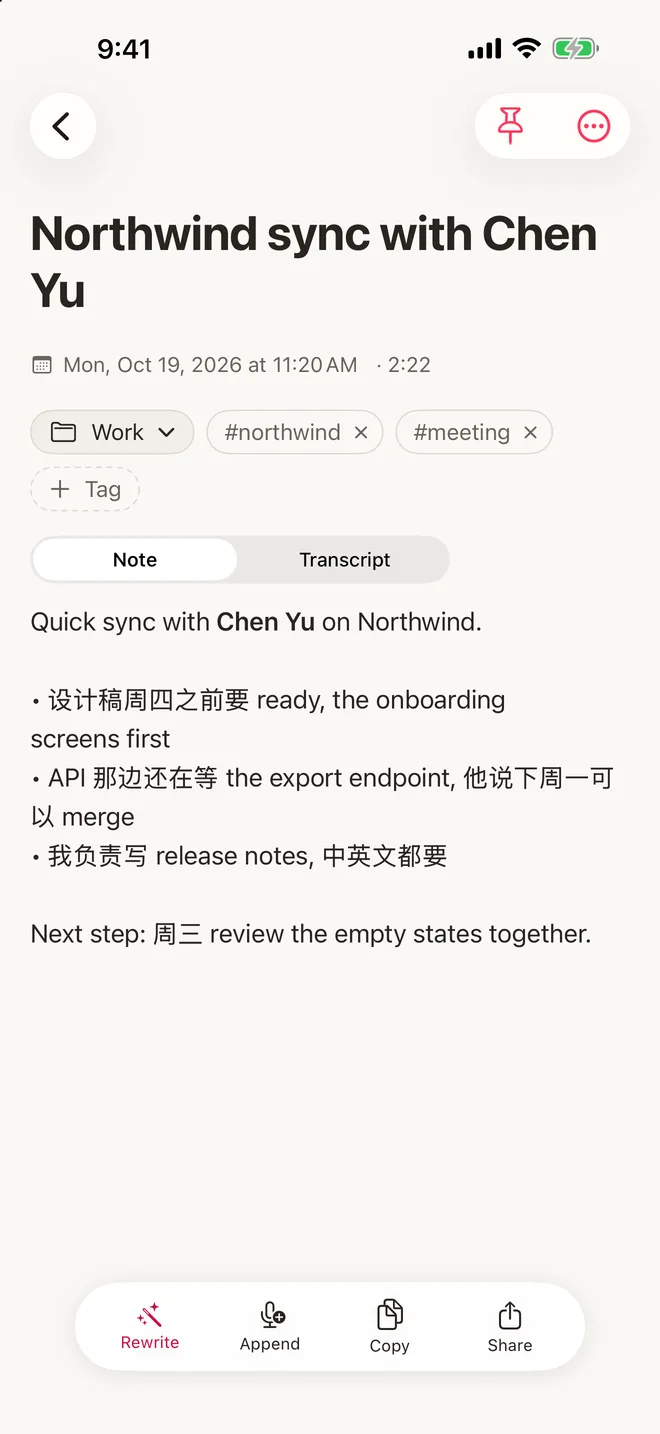
- Watch mixed-language names. If you switch languages while you talk, names are where things break first. There's more on that in dictating in two languages at once.
What if a name still comes out wrong?
It happens, usually with a name you've never said before, or one that sounds like another name on your list. Fix it on the note and save it to your list in the same step, so it's right next time. If it's a name that sounds like an everyday word (“Rose”, “Hunter”, “Brook”), add a short description so the tool can tell when you mean the person.
The goal isn't perfect recognition on day one. It's that each name only goes wrong once.
Doing it with Thinkdown
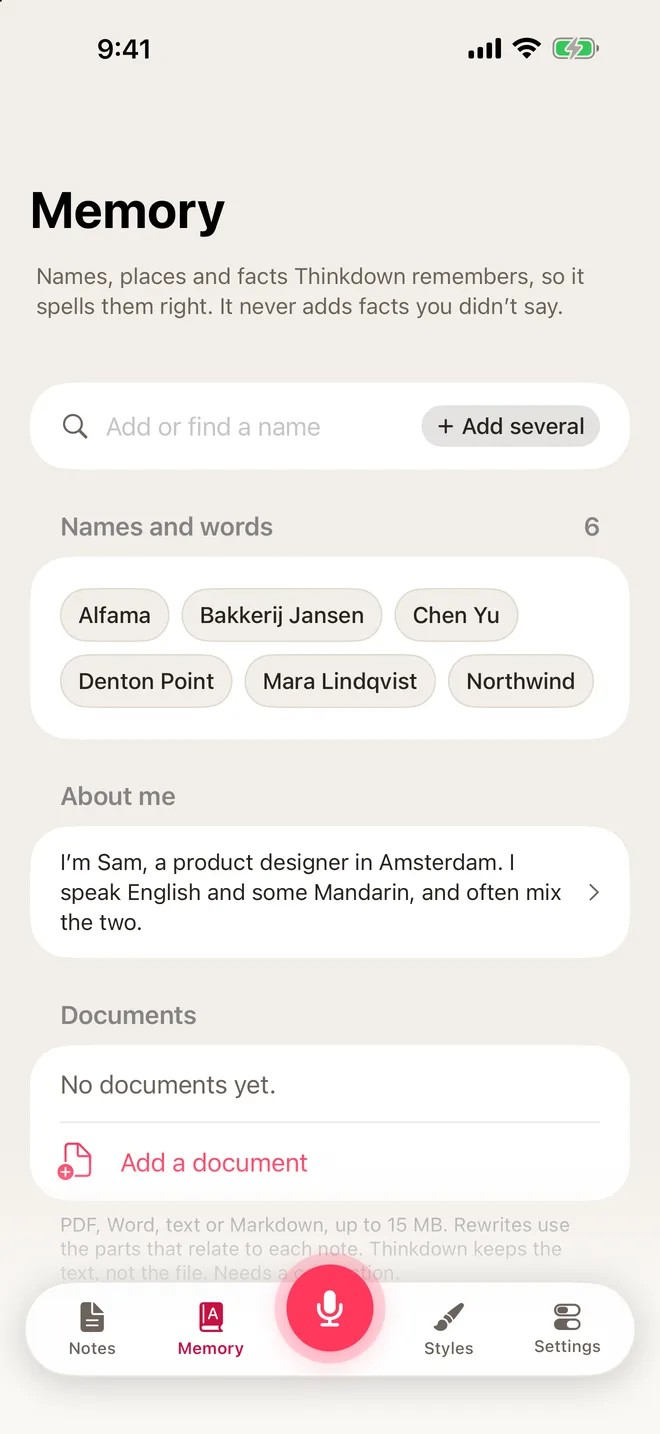
Thinkdown keeps a Memory of your names and words, a short About me, and the documents you add: PDF, Word, text or Markdown. When you add a document, it suggests the people, places and projects in it, and you keep the ones you want. Thinkdown keeps the text, not the file, and uses the parts that relate to each note.
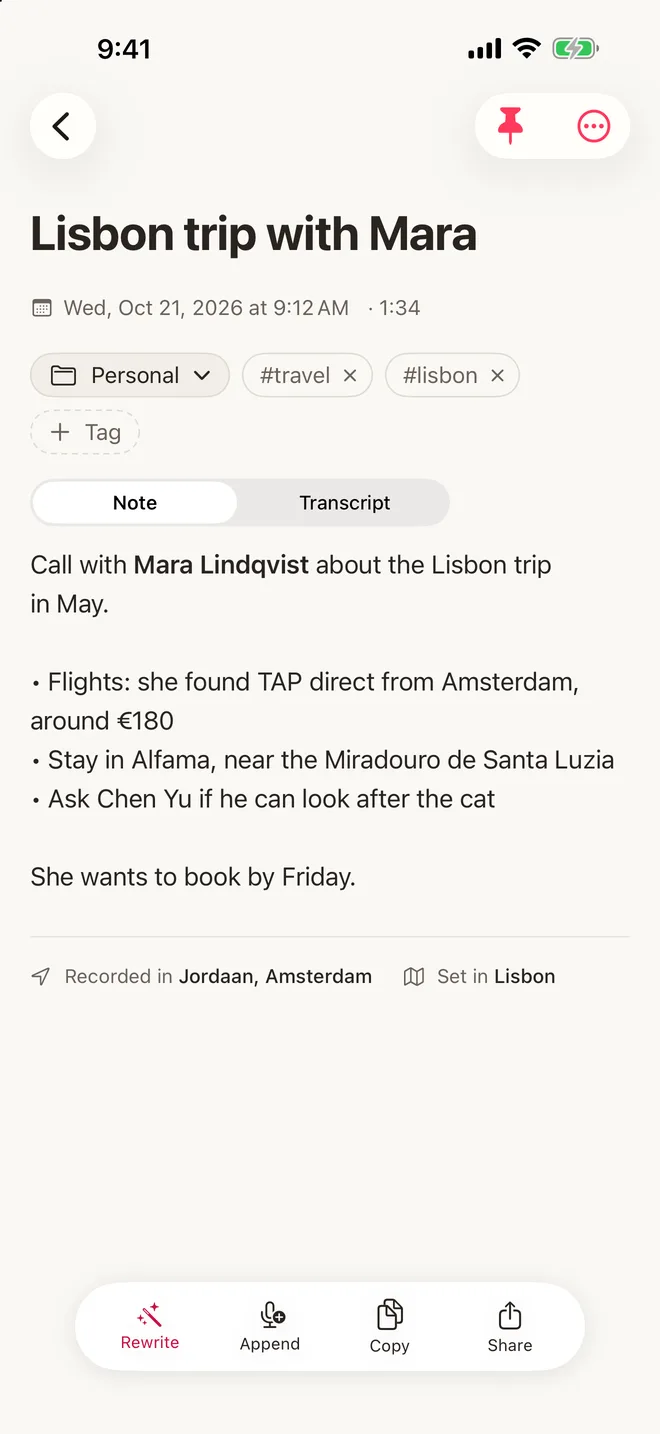
When it hears one of your names, the note uses your spelling and shows the fix, so you can see exactly what changed. A new name can be saved from the note with one tap. The recording and transcript stay with every note.