Thinkdown
Dictating in two languages at once
If you speak two languages, you probably mix them. Half a sentence in English, a phrase in Chinese, a name in Spanish. Most dictation tools hate this. Here's why, and how to get clean notes anyway.
Mixing languages is normal
Linguists call it code-switching. Most bilingual people do it every day without noticing. Some words just feel right in one language. Some things only have a name in the other.
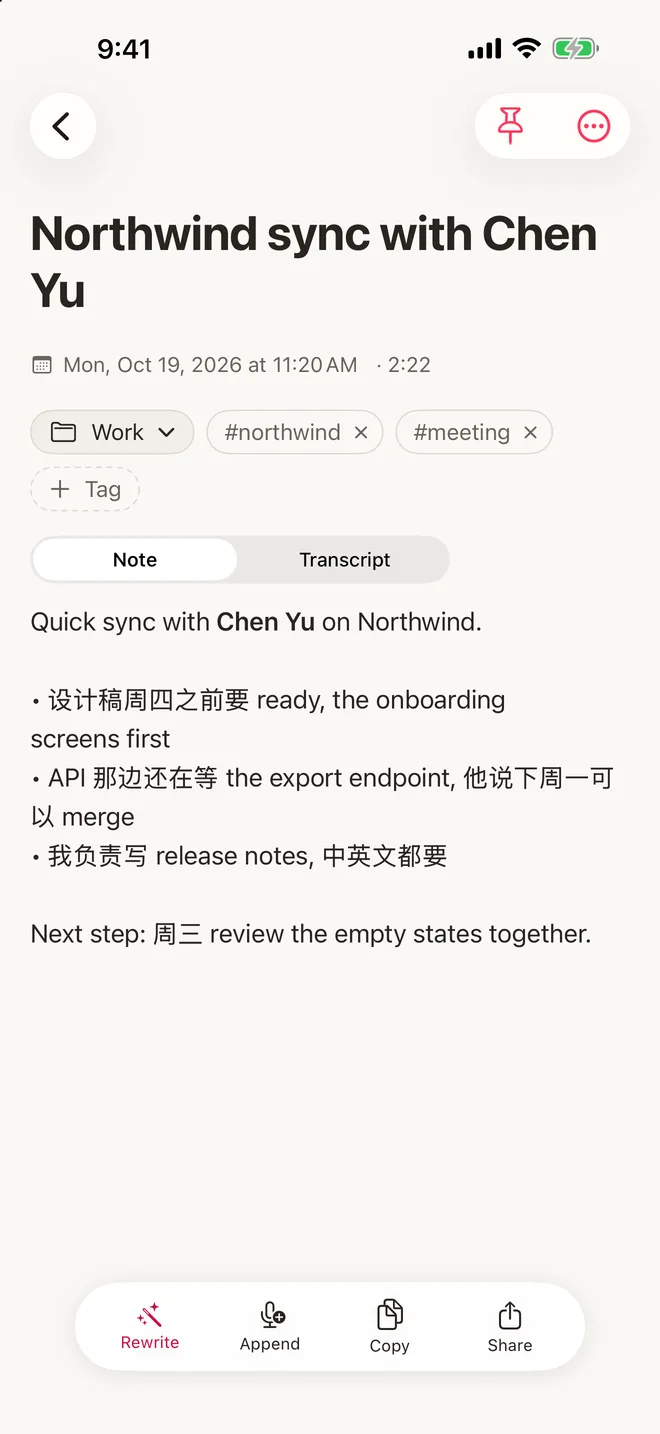
A parent in San Francisco might say: “Took 朵朵 to the beach, 她今天特别开心, then we got tacos.” That's one thought, in two languages, and it's perfectly clear to anyone who speaks both.
Why dictation breaks
Most dictation is set to one language at a time. You pick English, and everything you say gets heard as English.
So when you switch, things go wrong:
- Words get forced into the wrong language. “朵朵” (Duoduo) comes out as “duo duo” or “door door”.
- Whole phrases vanish. Some tools just drop the part they can't match.
- Names get mangled. A place name like 欧神 becomes something random.
- You end up switching settings mid-thought, which defeats the point of talking.
What good mixed-language dictation needs
Three things make the difference.
- It listens for more than one language at once. Not a setting you flip, but recognition that expects switches inside a sentence.
- It writes each language in its own script. Chinese stays in characters. English stays in English. No forced romanization.
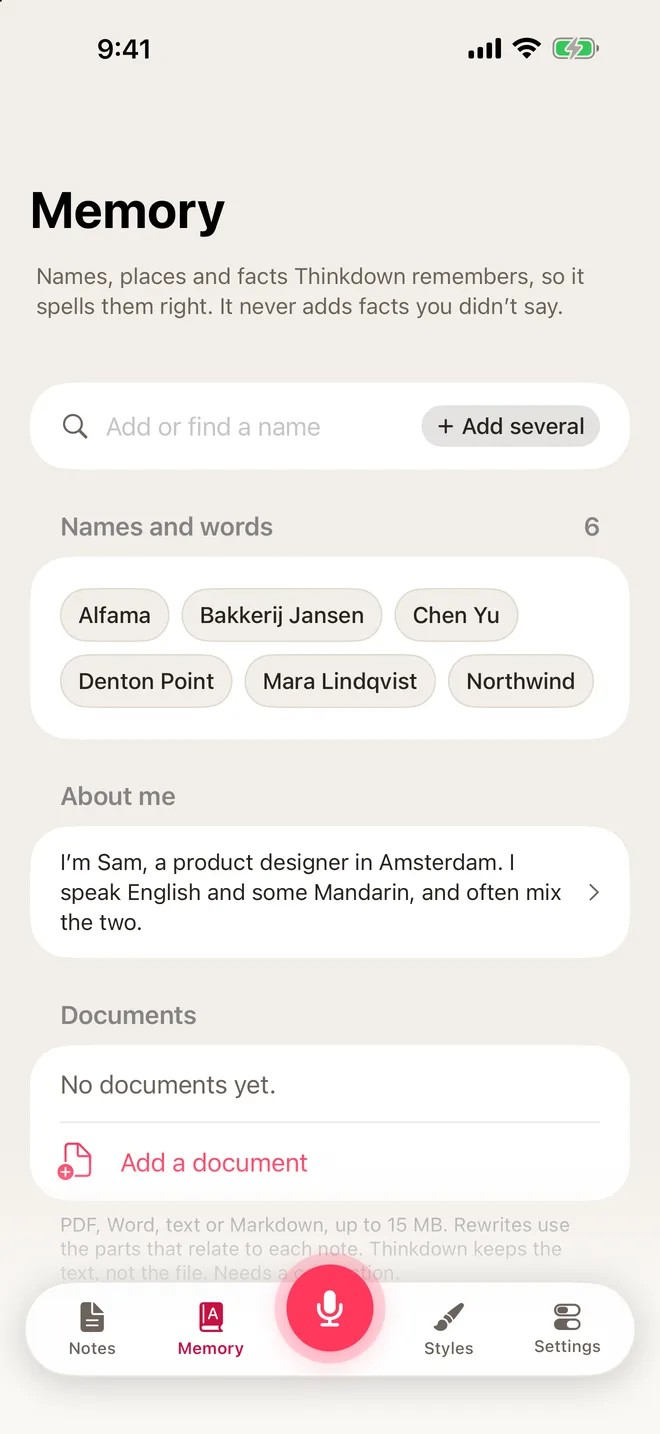
- It knows your names. Your kids, your coworkers, your street. Names are where mixed speech fails most, because they don't belong to any one dictionary.
Tips that help any tool
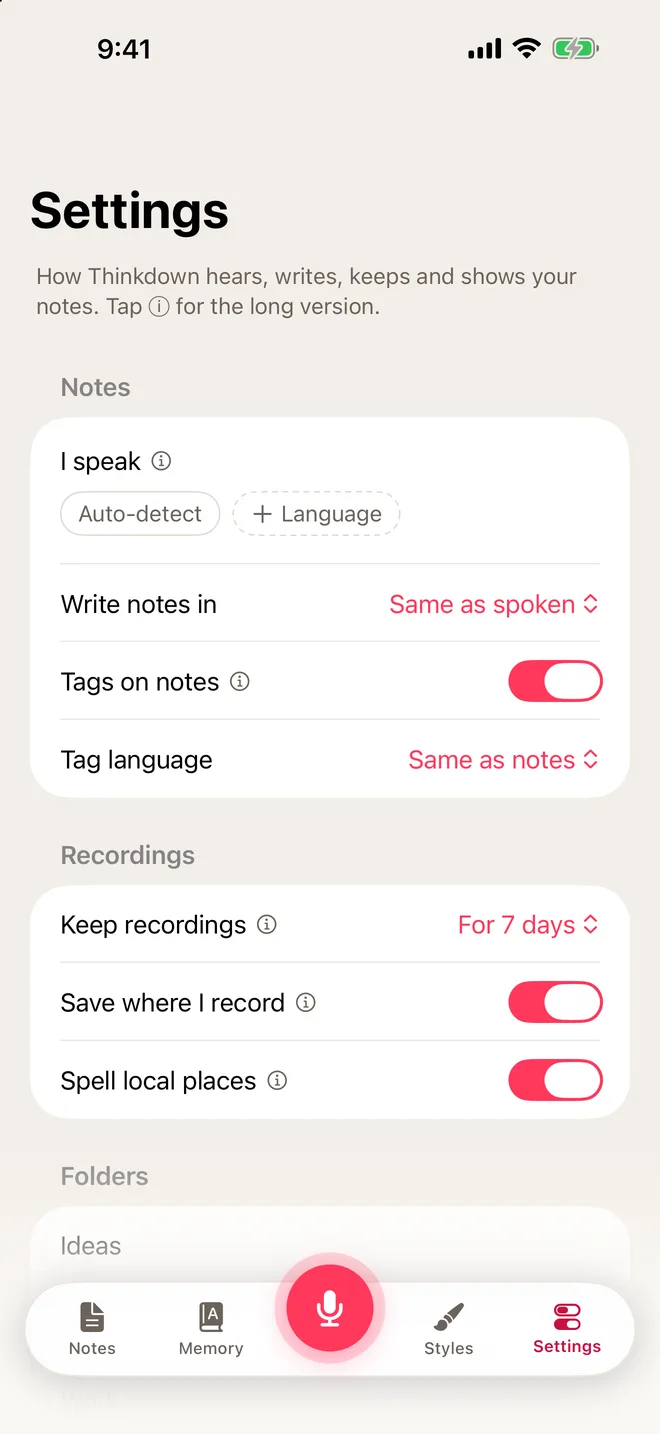
- Set both languages if you can. Some apps let you choose a pair, or auto-detect. Use it.
- Pause slightly at a switch. Not a long stop, just a beat. It helps recognition catch the change.
- Keep names consistent. If you call your daughter 朵朵 at home, say 朵朵 in notes too, not sometimes “Duoduo”.
- Fix names once, early. If a tool lets you teach it a name, do it the first time it gets one wrong.
- Don't translate in your head. The point of talking is speed. Say it the way it comes out.
Names: the hardest part
Names don't belong to a language. Your coworker Saoirse, your street in Coeur d'Alene and your daughter 朵朵 can all show up in one memo.
A tool that only knows one dictionary will guess. It hears “Sur-sha” and writes “Sir Sha”. It hears “core da lane” and writes three English words.
The fix is a list of your own names that the tool checks every time. Fix a name once, and it should stay fixed in every note after that, whichever language you were speaking around it.
Should the note be in one language?
It depends on who reads it.
For a journal or personal notes, keep the mix. It's how you think, and translating it loses something. “她第一次自己站起来了” means more to you in Chinese than in English.
For a note you'll send to someone, like a work recap, one language is usually better. Speak however you like, then have the note written in the language your reader uses.
朵朵 stood up on her own
This morning I took 朵朵 to Ocean Beach. The waves were small, and 她第一次自己站起来了.
Weekend recap
This morning I took Duoduo to Ocean Beach. The waves were small, and she stood up on the board by herself for the first time.
Doing it with Thinkdown
Thinkdown was built for mixed speech. Choose from 21 languages, or let it auto-detect, and switch freely inside one sentence. Each language is written in its own script.
Names you've taught it stay spelled right, in any language. Pick a style for the note. If you need it in one language for someone else, make your own style, like “Email in English”, with one line of plain instructions, and rewrite the note with it. The original recording and transcript stay attached.