Thinkdown
Capture ideas on a walk without stopping
Your best ideas show up when you're away from a desk. Then they vanish before you get home. Here's how to catch them in a second, without stopping or typing.
Why ideas show up on walks
You sit at a desk for an hour and get nothing. You go for a walk and the answer turns up in ten minutes. Most people have had this happen.
Walking keeps part of your mind busy and lets the rest wander. There are no tabs, no inbox and no blank page staring back. Ideas that were stuck start to move.
The problem is what happens next. You have the idea on the corner of 5th and Main. By the time you get home, you remember that it was good, but not what it was.
Why stopping to type doesn't work
- It breaks the thought. Unlock, open an app, find the right note, start typing. By then the second half of the idea is gone.
- You write too little. Thumbs are slow, so you write three words. "Kiln story first." A week later, that means nothing.
- It ends the walk. You stop, you look down, and the part of your brain that was wandering is back at work.
Talking fixes all three. You can say a whole idea in thirty seconds without breaking stride.
Make recording one tap
The goal is to go from idea to recording in about a second. Anything slower and you'll skip it.
- On your wrist. If you wear a watch, recording from it is the fastest option. Raise, tap, talk.
- With your voice. Set up a Siri phrase or a Shortcut that starts recording. Good for driving and for hands full of groceries.
- From the Lock Screen. Put your recorder in Control Center or on the Action button, so you never have to unlock and hunt for an app.
- Earbuds in. The mic is closer to your mouth, wind noise drops, and talking looks like a phone call.
What to say
You don't need good sentences. You do need three things, so the idea makes sense later.
- The topic first. "The talk on Thursday." Now the note has a title.
- The idea, with the why. "Open with the kiln story, because people remember stories, not stats."
- The next step, if there is one. "Email Siobhan about the slides tonight."
Correct yourself freely. "Thursday, no, Wednesday" is fine. You'll want the cleaned-up version later, not a perfect take now.
- Topic"The talk on Thursday"
- Idea and whyOne or two sentences
- Next step"Email Siobhan tonight"
A made-up example
Here is Leila, halfway around the park after a tough planning meeting:
“Okay, the onboarding thing. I think the problem is, um, we ask for too much on day one. Like five settings. What if it's just one question, the language, and everything else waits until the second, no, third note. Oh, and ask Ravi if the data backs that up. Before Friday.”
Onboarding: one question on day one
We ask for too much on day one. Ask only for the language, and leave the other settings until the third note.
- Ask Ravi if the data backs this up, before Friday
Don't lose it on the way home
- Make sure audio saves as you go. A call or a dead battery shouldn't cost you the idea.
- Expect no signal. Parks and trails often have none. Your recorder should keep the audio and catch up later.
- One idea per recording. Short recordings make clear notes. If you change subject, start a new one.
- Look at it the same day. A quick read tonight turns a walk idea into a plan.
Doing it with Thinkdown
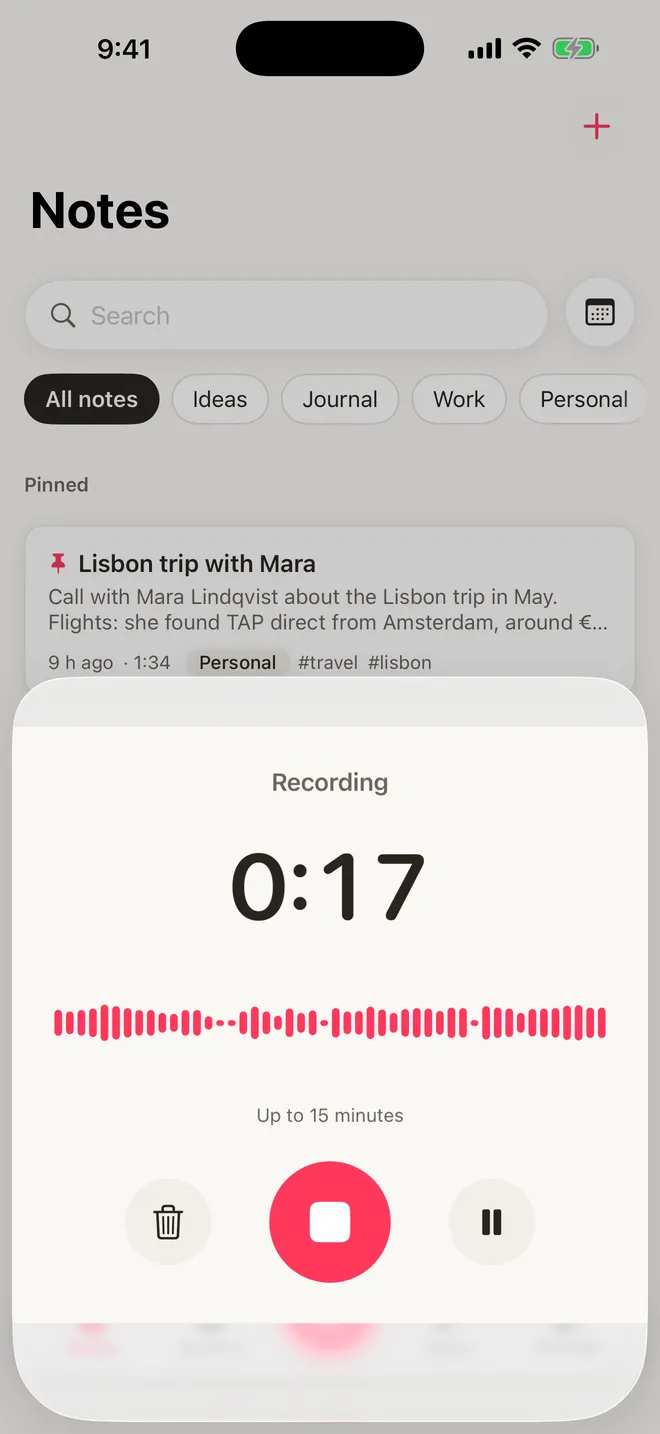
Thinkdown is built for this. Tap record on your Apple Watch, ask Siri, or use a Shortcut on your iPhone, and keep walking. A timer on your Lock Screen shows it's recording, and audio is saved as you go.
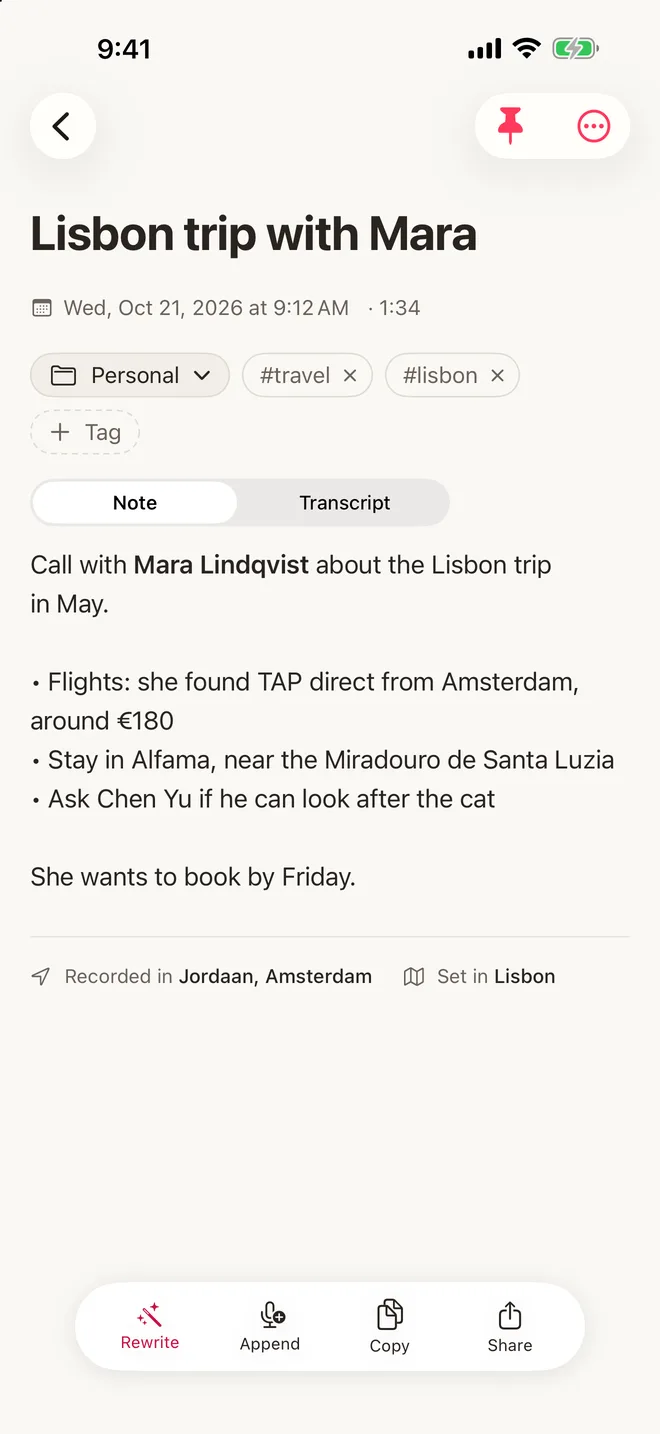
By the time you're home, the note is written up: titled, filed, to-dos as a checklist, names spelled right. If you had no signal, it's written up as soon as you're back online.