Thinkdown
Best voice notes apps for mixed Chinese and English (2026)
If you switch between Chinese and English mid-sentence, most speech tools lose half of what you said. Here's what works, and for what.
Thinkdown is our app. We list it first and say so. Everything about the other apps comes from their own websites, linked under each one, and we say where they do better.
Why mixed Chinese and English is hard
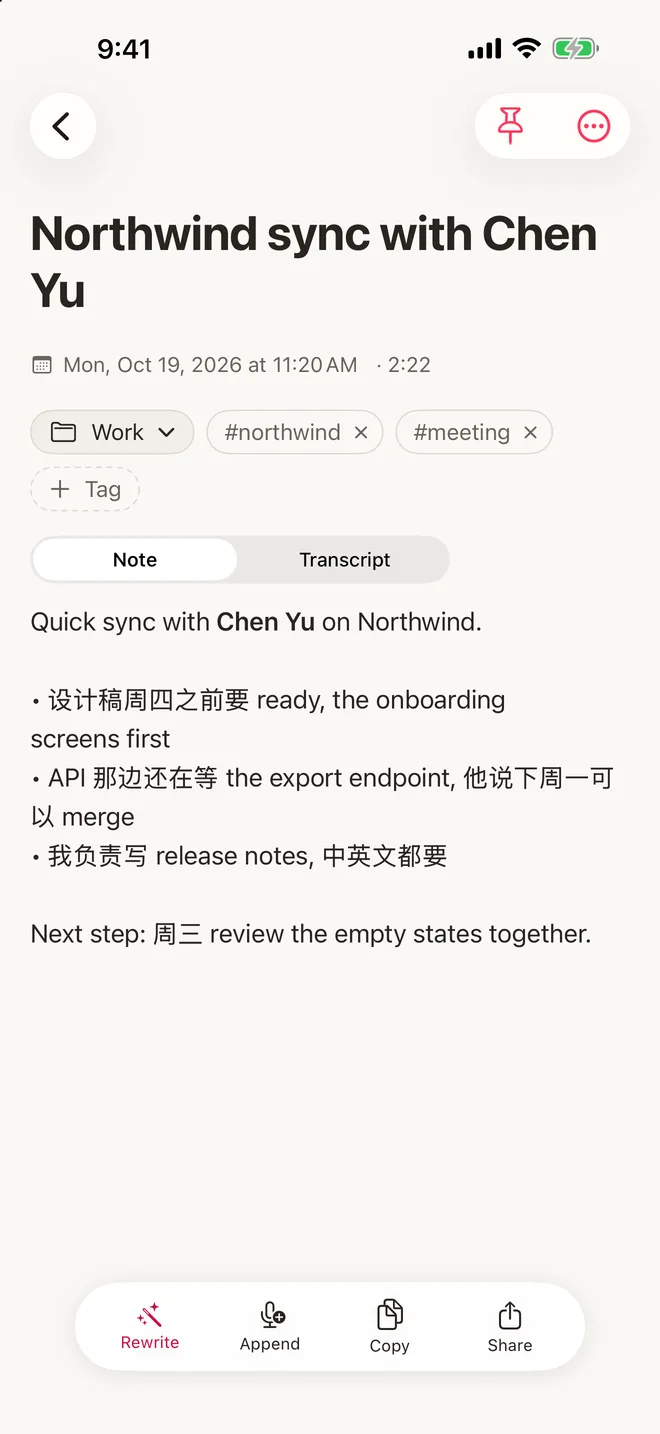
If you grew up with both, you probably say things like "明天去 Costco 买 groceries" without noticing. Most speech tools are set to one language at a time, so the other half comes out as nonsense: 朵朵 becomes "door door", an English word becomes random characters.
What to look for:
- Both languages in one sentence, without switching a setting.
- Each language in its own script. Chinese in characters, English in English, no forced pinyin.
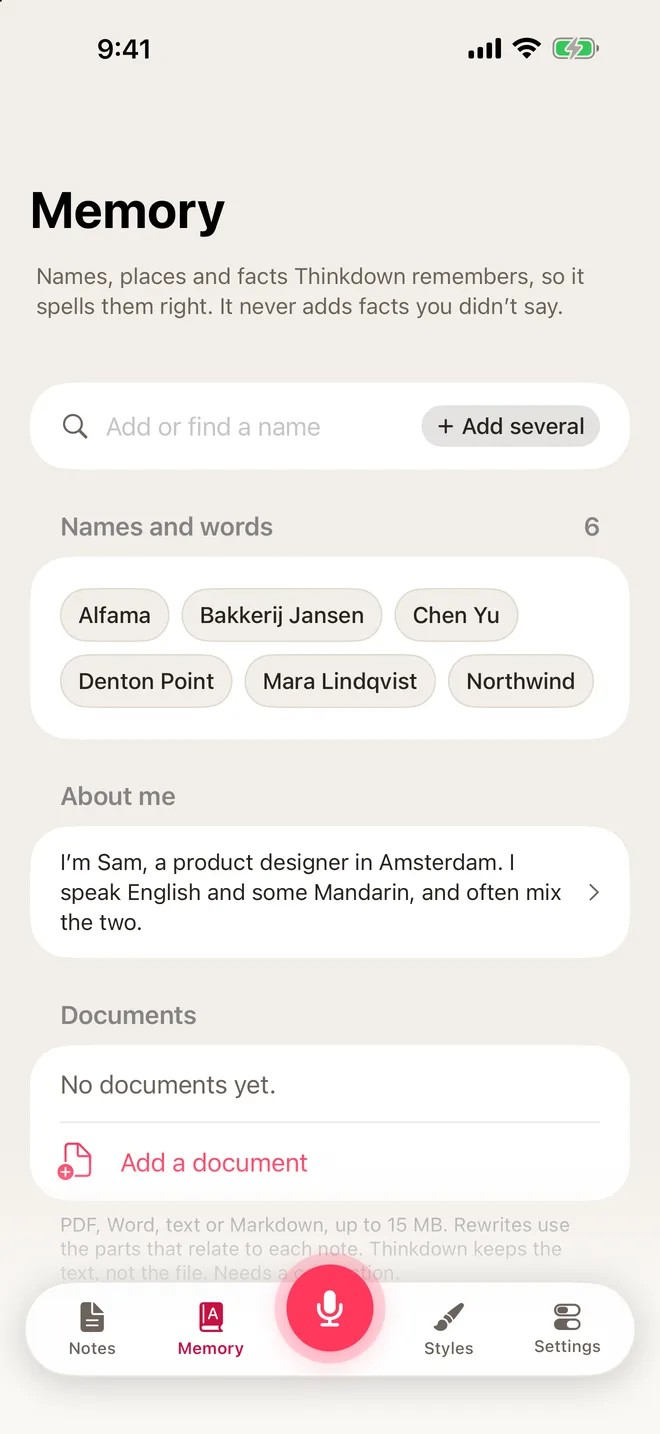
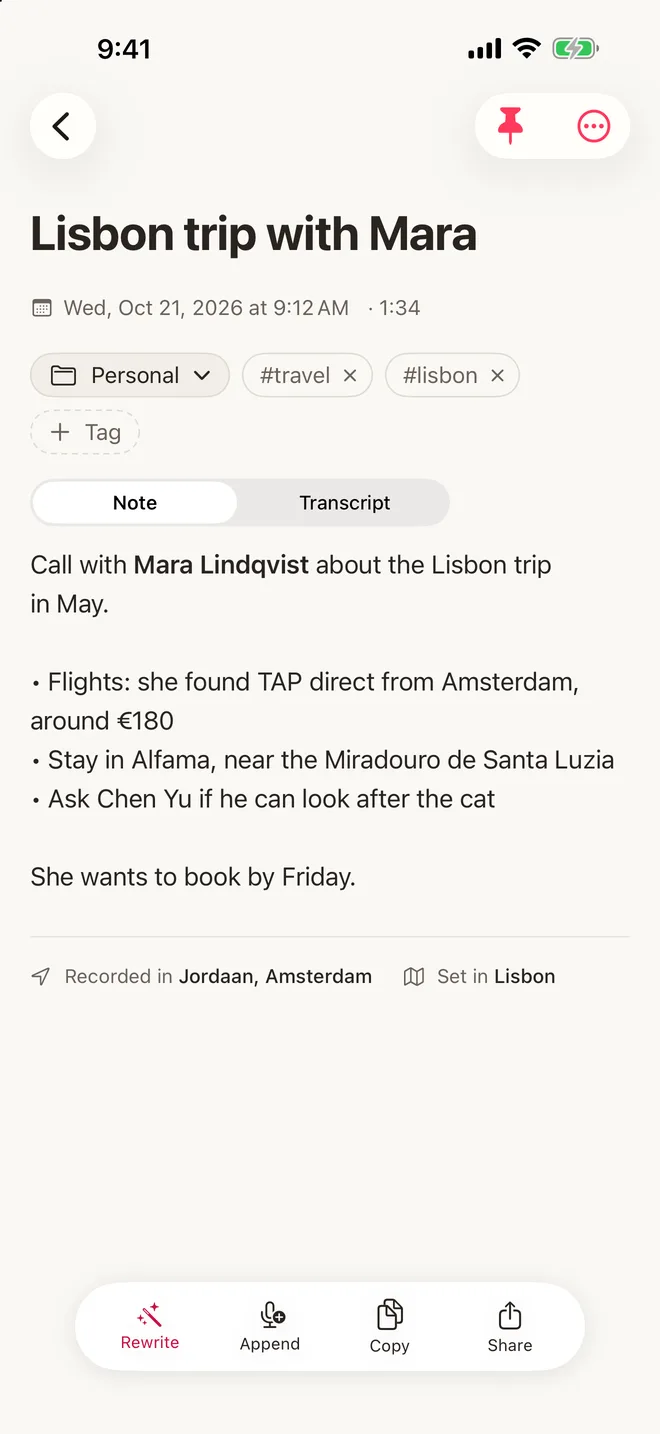
- Your names right, whichever language they come from.
- The note in the language you want, mixed for yourself, one language for others.
We checked each app's own website or App Store page on 14 November 2026, plus published tests where we found them. Try any of them with your own recordings first: accuracy on mixed speech varies a lot with accent and topic.
| App | Mixed Chinese–English | What you get | Best for |
|---|---|---|---|
| Thinkdown Our app | Yes, mid-sentence | A clean note in your words | Personal notes and journaling |
| Notta | Bilingual mode, pick two languages | A meeting transcript | Meetings and interviews |
| 讯飞听见 (iFlyrec) | Listed: 中英混合识别 | A transcript | Mostly-Chinese recordings |
| 雅婷逐字稿 (Yating) | Claimed; mixed results in tests | A transcript | Taiwanese Mandarin and Taiwanese |
| Apple Dictation | One language at a time | Typed text | Short messages |
1. Thinkdown (our app)
Thinkdown is the app we make, so keep that in mind. Mixed-language speech is something we built for from the start.
Tell Thinkdown you speak Chinese and English, or leave it on auto-detect, and switch whenever you like. You get a titled note with each language in its own script, names kept as you say them, and the ums gone. Keep the note mixed, or have it written in Simplified Chinese, Traditional Chinese, English or any of 21 languages. The app itself can be in Chinese too.
- Good: made for how bilingual people actually talk, with the recording and transcript kept.
- Good: iPhone, iPad, Mac, Apple Watch and the web.
- Watch out: it's built for your own notes, not for transcribing long meetings with several speakers.
There's a free plan to try it. Two-language voice notes in Thinkdown.
2. Notta
Notta is a transcription service for meetings and recordings. Its bilingual transcription lets you choose two languages (Chinese, Simplified or Traditional, among them) and transcribe a meeting or file that uses both.
- Good: joins online meetings, handles long recordings and several speakers.
- Watch out: you choose the language pair up front, and you get a transcript, not a written-up note.
Source: Notta bilingual transcription.
3. 讯飞听见 (iFlyrec)
iFlyrec, from iFLYTEK, is one of the most used recording-to-text apps in mainland China. Its App Store page lists mixed Chinese–English recognition (中英混合识别), along with real-time transcription, translation and speaker labels.
- Good: strong on Mandarin, built for long recordings and meetings.
- Watch out: the app is in Chinese, and it's a transcription tool, not a notes or journal app.
Source: 讯飞听见 on the App Store.
4. 雅婷逐字稿 (Yating)
Yating, from Taiwan AI Labs, transcribes Taiwanese Mandarin, Taiwanese and more, and says it understands Chinese–English mixing. Independent tests in Taiwanese media found plain Chinese good but heavy mixing in meetings less reliable.
- Good: the pick if you speak Taiwanese or Taiwanese Mandarin.
- Watch out: test it on your own mixed speech before relying on it.
Source: 雅婷逐字稿 on the App Store, The News Lens test.
5. Apple Dictation (built in)
Built-in dictation on iPhone, iPad and Mac works in Chinese and English, but it follows the keyboard you have open. To switch languages you switch keyboards, so a sentence that mixes both usually loses one half.
- Good: free, built in, fine for a message in one language.
- Watch out: not made for switching mid-sentence.
Source: Dictate text on iPhone.
Common questions
Can iPhone dictation handle Chinese and English in one sentence?
Not reliably. It follows the keyboard language you have open, so you'd switch keyboards to switch languages. For mixed sentences you need an app that listens for both at once.
Should my note be in one language or mixed?
Keep it mixed for yourself: it's how you think. For a note you'll send to someone, have it written in their language. Some apps, Thinkdown among them, let you choose per account.
What about Cantonese or Taiwanese?
Support varies a lot. Yating is built for Taiwanese and Taiwanese Mandarin. For Cantonese, check each app's language list and test with your own recording.
Which one should you pick?
- Your own notes and journal, mixed the way you talk: Thinkdown.
- Meetings in two languages: Notta.
- Mostly Mandarin recordings, mainland China: 讯飞听见.
- Taiwanese or Taiwanese Mandarin: 雅婷逐字稿.
More on this: dictating in two languages at once.